Conductore
Drive Claude Code, Herdr and tmux sessions on your own machines from your phone or desktop, over SSH or Mosh. No relay server, no account.
Android, Linux, Windows and macOS builds are on the Releases page. Builds are previews. There is no public iOS build yet.
Why
Your machines, your keys
Hosts, keys and trusted fingerprints stay on your devices. No account, no cloud, no subscription.
No relay
The app connects straight to your machines over SSH or Mosh, usually through Tailscale. Nothing sits in the middle and nothing on the host listens on a new port.
Agents first
Built around watching and steering coding agents inside Herdr and tmux, not around a generic terminal.
What it does
Chat View
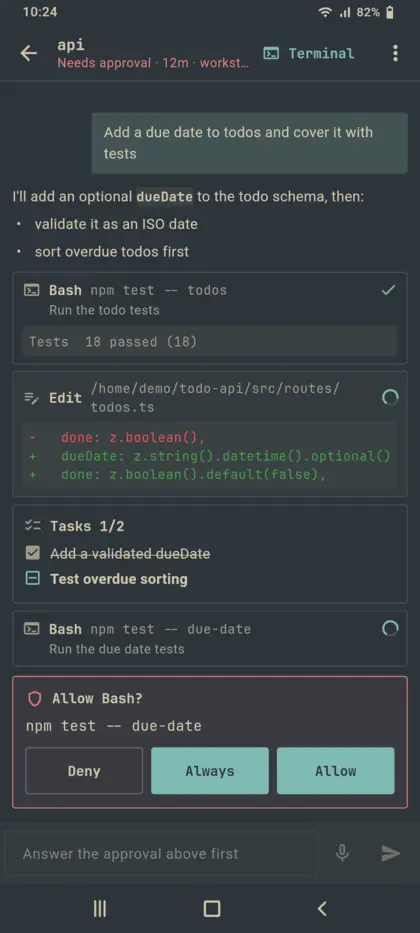
Read a Claude Code session as a chat and reply from a composer, instead of reading the raw terminal. A live indicator says what Claude is doing and for how long.
Approvals and an agent inbox
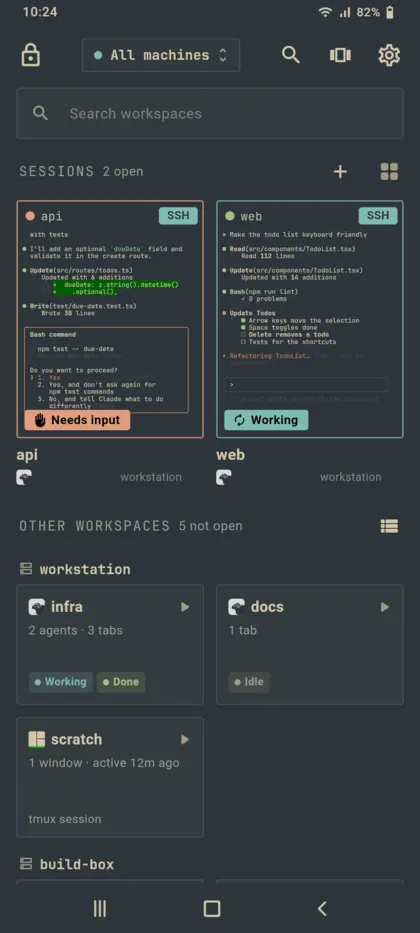
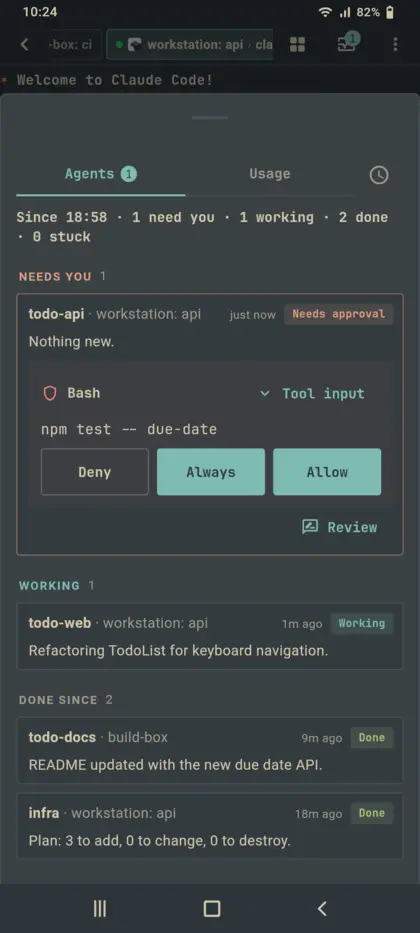
One Agents screen with one badge that counts only the agents that really need you. Answer prompts from the phone.
Voice
Dictate, have the answer read aloud, or use hands-free Talk mode, which also answers approvals by voice (Android and iPhone).
Herdr and tmux
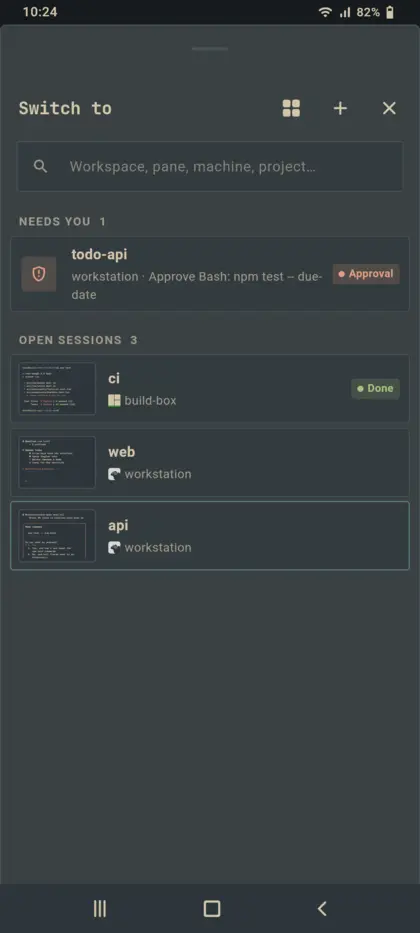
Both are first class. Pick one, several or all machines, see open sessions as live previews, and open any workspace.
Mosh that survives
A clean-room Dart Mosh that survives Wi-Fi drops and network changes, plus SSH keys, hardware security keys and host keys you review yourself.
Phone and desktop
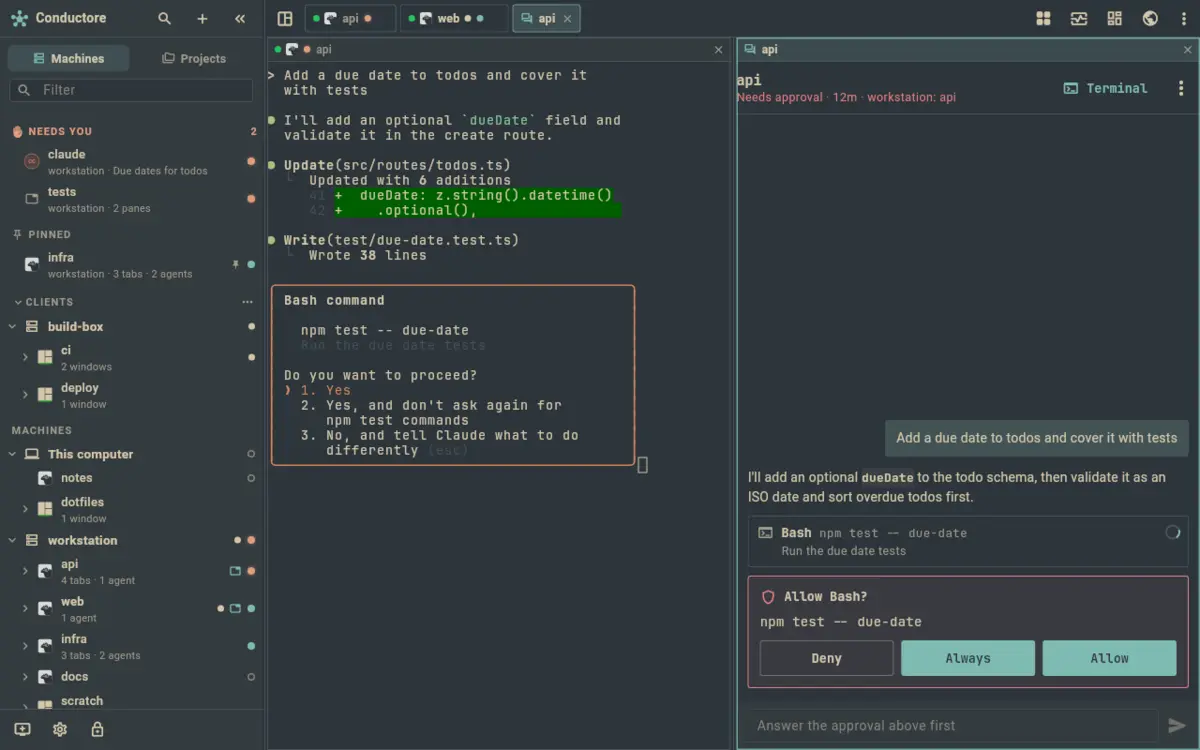
One Flutter code base for Android, iOS, Linux, Windows and macOS. Desktops and tablets get a sidebar and split panes.
Screenshots
Privacy
Nothing from your machines or terminals is sent anywhere: no commands, output, clipboard, chat text or transcripts. The app sends scrubbed crash reports and anonymous usage counts to servers Outsmartis runs itself. Both are on by default and each has a switch in Settings › Privacy.